Hunter Disk Cleaner Pro Review 2026: Transparent Disk Cleanup for Windows
A fast, lightweight Windows 10/11 cleaner that scans browser caches, temporary files, app caches and uninstall leftovers, then shows exactly what it found before you clean. Free edition in the Microsoft Store; PRO from $12, with no auto-renewal and a 60-day refund.
Our verdict
A cleaner that shows its work — and costs very little
Disk cleaner
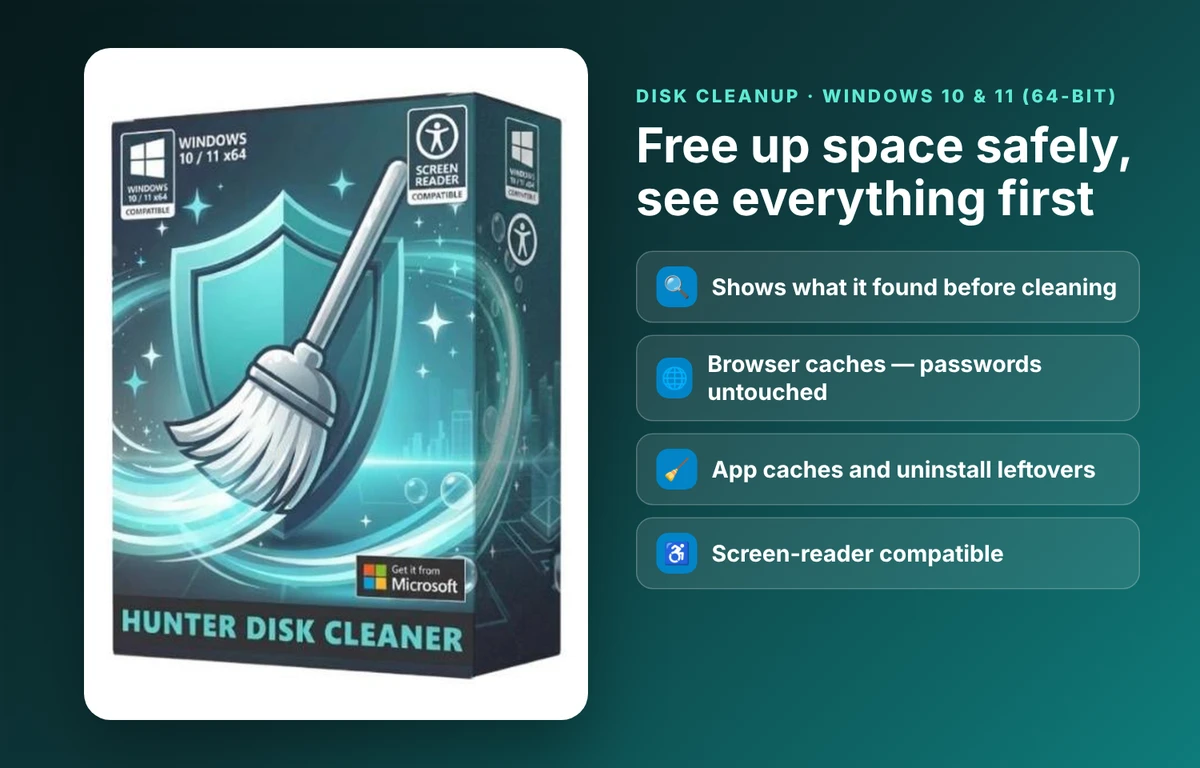
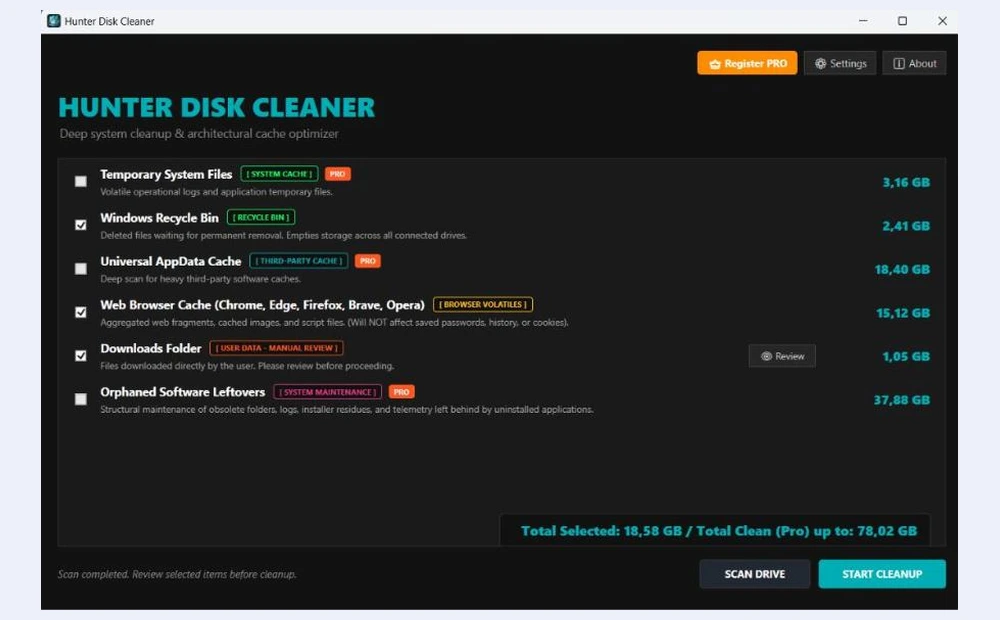
Hunter Disk Cleaner does one job and does it openly. Press Scan Drive and it lists each category — Temporary System Files, Windows Recycle Bin, Universal AppData Cache, Web Browser Cache for Chrome, Edge, Firefox, Brave and Opera, your Downloads folder and Orphaned Software Leftovers — with a clear label and the exact size, so you decide what goes. Browser cleaning removes cached files but not saved passwords, history or cookies, and the Downloads folder is flagged as your own data for manual review. It is fast, light, screen-reader compatible and translated into nine languages. The free edition from the Microsoft Store cleans browser caches and the Recycle Bin and shows the size of everything else; PRO unlocks the deep categories from just $12 for a year on up to five PCs, with no auto-renewal and a 60-day unconditional refund. For freeing space on a full drive, it is excellent value.
What we like
- Full transparency. Every category shows a label and exact size before anything is deleted.
- Safe defaults. Browser cleanup keeps passwords, history and cookies; Downloads is marked for review.
- Free edition first. Scan for free from the Microsoft Store and see what PRO would add.
- Very low price. $12 for a year on up to 5 PCs — and never an auto-renewal.
- Accessible. Screen-reader compatible (e.g. NVDA) and 9 interface languages.
- Safe to try. 60-day unconditional money-back guarantee.
Good to know
- Cleanup only. It frees disk space; it is not a PC optimiser, repair tool or antivirus.
- Check the Downloads folder. It contains your own files — review it before cleaning.
- Time-limited options. The $12 and $19 licences last 1 or 2 years; the $29 licence is one-time for 1 PC.
- New offer. Listed on Digistore24 since September 2026.
What’s inside
Free vs PRO: what each edition cleans
From the seller’s “Compare Editions” table and app screenshots (November 2026).
Free edition
- Basic system cleanupIncluded
- Real-time storage analysisLive counter of what it finds
- Web browser cachesChrome, Edge, Firefox, Brave, Opera
- Recycle BinAll connected drives
PRO adds
- Temporary files & system logsFree: analysis only
- AppData software cachesFree: analysis only
- Uninstall leftovers & telemetryFree: analysis only
- One-click deep cleanupPRO only
Both editions
- Safety labelsCategory tags and sizes
- Downloads reviewYour files, manual review
- Screen-reader supportNative accessibility
- 9 languagesSwitch in real time
How it works
Scan, review, clean
Scan your drive
Press Scan Drive. The engine checks the known junk areas in seconds and keeps a live counter.
Review each category
Every item shows a coloured label and its size. Tick what you want removed; PRO categories are marked.
Check your own files
The Downloads folder is labelled “user data — manual review”. Use Review to see the files before you include them.
Start cleanup
Press Start Cleanup. The total you selected is freed; run a scan again any time.
Pricing
Three one-time licence options
From the seller’s PRO licence page. All options are single payments with no auto-renewal.
1-Year Licence
$12 one-time
Valid 1 year, up to 5 PCs.
- All PRO features
- Deep system and app cleanup
- E-mail support
- No auto-renewal
2-Year Licence
$19 one-time
Valid 2 years, up to 6 PCs.
- All PRO features
- Deep system and app cleanup
- E-mail support
- No auto-renewal
One-Time Licence
$29 one-time
No expiry, 1 PC.
- All PRO features
- Deep system and app cleanup
- E-mail support
- Pay once
All three come with the seller’s 60-day unconditional money-back guarantee. Taxes, if any, are shown at Digistore24 checkout. The free edition is available from the Microsoft Store.
Setup guide
Setup guide: from free install to PRO
About five minutes.
Install the free edition
Open the Microsoft Store, search “Hunter Disk Cleaner” (or use the link on the seller’s site) and click Get. Windows 10 or 11, 64-bit.
Close your browsers
Close Chrome, Edge, Firefox, Brave and Opera so their caches can be cleaned fully.
Run Scan Drive
Open the app and press Scan Drive. Wait for “Scan completed”.
Review the results
Each category shows its label and size. Untick anything you want to keep. Use Review on the Downloads folder before including it.
💡 The bottom bar shows “Total Selected” and what PRO could clean in total.
Clean with the free edition
Press Start Cleanup to clear browser caches and the Recycle Bin.
Decide on PRO
If the PRO categories (temporary files, AppData caches, leftovers) are large, choose a licence — use our licence calculator.
Buy and register
Check out through Digistore24, then click Register PRO in the app and enter the licence key from your e-mail.
Deep clean and repeat
Run Scan Drive again, review, then Start Cleanup. Repeat monthly or when your drive gets full.
Which licence for whom
All are single payments; pick by number of PCs and time.
One home PC
- 1-year $12 to try PRO cheaply.
- Or one-time $29 to keep it.
- Start with the free edition.
Goal: lowest cost.
Family with several PCs
- 1-year covers up to 5 PCs.
- 2-year covers up to 6 PCs.
- One key for all.
Goal: many PCs, one price.
Set and forget
- One-time $29 for 1 PC.
- No expiry, no renewals.
- Monthly scan routine.
Goal: pay once.
Six things worth knowing
Free edition
In the Microsoft Store.
From $12
No auto-renewal.
Passwords kept
Browser cache only.
Review Downloads
It is your data.
Windows 10/11
64-bit.
60-day refund
Unconditional, per the seller.
Your setup checklist
Free calculators
Cleanup tools you can use right now
Find the cheapest licence for your PCs, check whether the free edition is enough, estimate the space you could get back and run a safe-cleaning checklist.
Which licence is cheapest for you?
Three one-time licence options, no auto-renewal. Enter your PCs and how long you want PRO.
Is the free edition enough?
Tick what you want to clean. Free cleans some areas; others are analysis-only until you upgrade.
How much space could you get back?
Rough ranges for common junk on a typical Windows PC. Your own scan shows the real numbers.
Safe cleaning checklist
Tick these before you press Start Cleanup.
Quick check
Is Hunter Disk Cleaner Pro right for you?
Answer 5 quick questions.
Do you use Windows 10 or 11 (64-bit)?
Is your drive getting full?
Do you want to see what will be deleted before cleaning?
Would you try a free edition first?
Are you looking for repair or antivirus tools?
Also consider
Other tools from our PC Utilities & Media guide that suit different needs.
How to try it
Try Hunter Disk Cleaner in 4 steps
FAQ
Hunter Disk Cleaner Pro questions answered
What is Hunter Disk Cleaner Pro?
The paid edition of Hunter Disk Cleaner, a Windows 10/11 disk cleanup utility that removes temporary files, browser and app caches, and leftovers of uninstalled programs.
Is there a free version?
Yes. The free edition is in the Microsoft Store. It cleans browser caches and the Recycle Bin and shows the size of PRO categories.
How much does PRO cost?
$12 for 1 year on up to 5 PCs, $19 for 2 years on up to 6 PCs, or $29 one-time for 1 PC.
Does it renew automatically?
No. All licence options are single payments with no auto-renewal.
Will it delete my passwords or browsing history?
No. The browser cache cleanup removes cached files but not saved passwords, history or cookies, according to the app.
Is it safe?
It shows every category with a label and size before cleaning, and marks the Downloads folder for manual review. Always check the list first.
Does it speed up my PC?
It frees disk space, which helps when a drive is nearly full. It is not a full optimiser or repair tool.
Which Windows versions are supported?
Windows 10 and 11, 64-bit.
Is it accessible?
Yes, it supports screen readers such as NVDA and offers 9 languages.
Can I get a refund?
Yes. The seller offers a 60-day unconditional money-back guarantee.
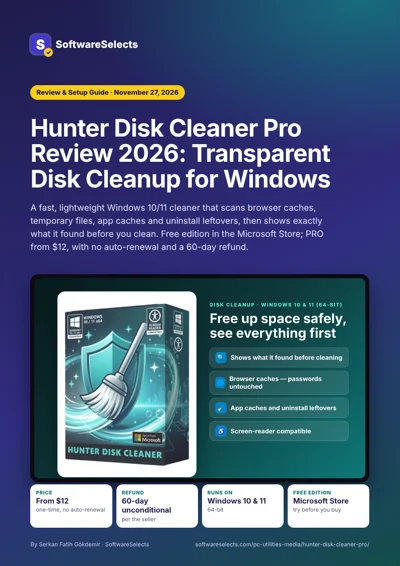
Free PDF
Download the Hunter Disk Cleaner Pro review & setup guide
Everything on this page in a colourful, printable PDF: our verdict, free vs PRO, the three licence options, the 8-step setup guide and a safe-cleaning checklist.
- Verdict & free vs PRO
- 8-step setup guide
- Licence options
- Safe-cleaning checklist
About this review
Who wrote it

Serkan Fatih Gökdemir
Founder and Editor, SoftwareSelects
Serkan builds websites, WordPress plugins and online calculator tools himself, so he looks at software the way a working user would. He has also worked for 15 years as a medical laboratory technician, with an education in chemistry, and brings the same habit of checking details carefully to every page: what a product actually does, what it costs, what the refund terms are and who it suits.
Sources: the Hunter Disk Cleaner home page, edition comparison, PRO licence page and app screenshots, and the Digistore24 marketplace listing, checked on November 27, 2026. Images are the seller’s.
Questions about Hunter Disk Cleaner?
Tell our assistant how full your drive is. It will tell you whether the free edition or PRO fits.
Details are based on the seller’s website and the Digistore24 listing as of November 27, 2026 and can change — always confirm the price and refund terms at checkout. SoftwareSelects may earn a commission from purchases made through our assistant’s links, at no extra cost to you. Affiliate disclosure
