Small Business AI & Automation Toolkit Review 2026: Plan Before You Automate
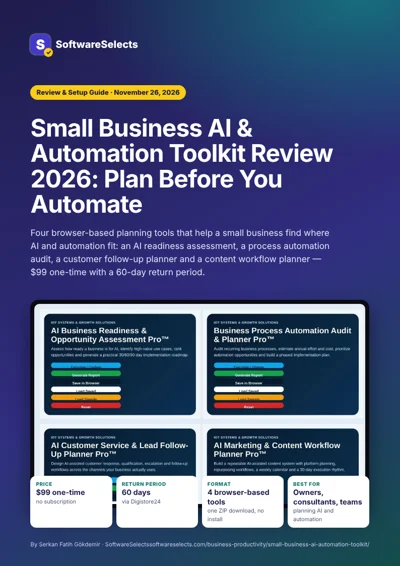
Four browser-based planning tools that help a small business find where AI and automation fit: an AI readiness assessment, a process automation audit, a customer follow-up planner and a content workflow planner — $99 one-time with a 60-day return period.
Our verdict
A sensible first step before spending money on AI
AI planning
Most small businesses jump straight to buying AI tools. This toolkit does the step that should come first: it helps you work out where AI or automation would actually help. Its four browser tools take you through structured questions and scoring — how ready your business is, which repeat processes cost the most time and money, how customer replies and lead follow-up should work (and where a person must stay involved), and how a repeatable content workflow could look — and turn the answers into reports, roadmaps and CSV exports. We especially like the seller’s honesty: it states plainly that the toolkit is not an AI agent, sends nothing and promises no savings. For a one-time $99 with a 60-day return period, it is a low-risk way to get clarity before you invest.
What we like
- Clarity before cost. Find and rank the opportunities before paying for AI tools or consultants.
- Real numbers on your processes. The automation audit estimates yearly hours and labour cost per task.
- People stay in the loop. The follow-up planner documents where AI may help and where a person must step in.
- Reports you can use. Generate reports, print or save as PDF, and export CSV in two of the tools.
- Nothing to install. Runs in a modern browser; work can be saved locally in the browser.
- Honest and protected. No income or savings promises, $99 once and a 60-day return period.
Good to know
- A planning toolkit, not an AI agent. It does not send messages, publish content or connect to AI models — you choose and set up any tools later.
- Your input decides the output. The scores and plans are only as good as the information you enter.
- Browser save is local. Saved work stays in that browser on that device; export reports to keep a copy.
- Best for planners. If you already know exactly which automation you want, you may not need it.
What’s inside
Four tools, one planning system
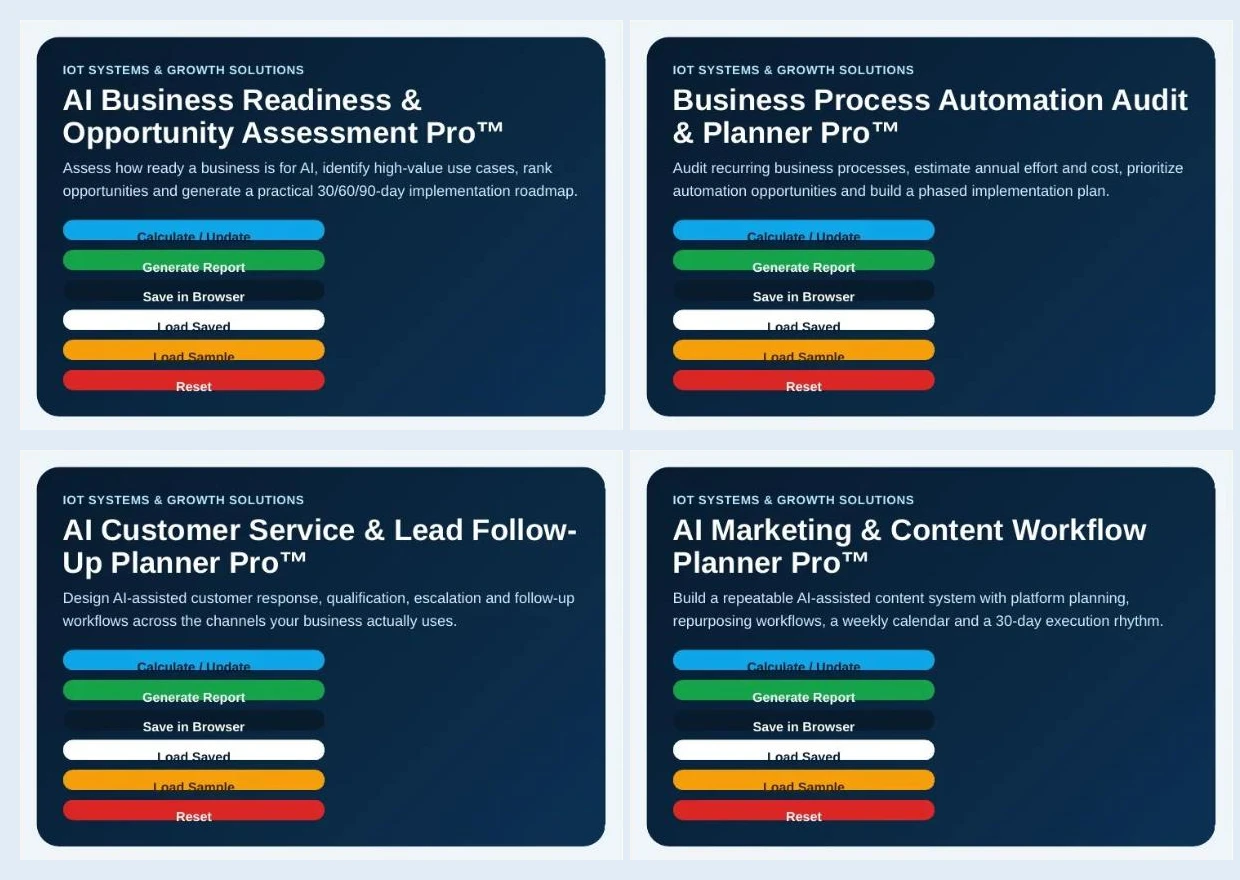
All four tools come in one ZIP download and share the same buttons: Calculate / Update, Generate Report, Save in Browser, Load Saved, Load Sample and Reset.
Assess
- AI Business Readiness & Opportunity Assessment ProReadiness score, opportunity inventory, priority ranking
- 30/60/90-day roadmapA practical order for what to try first
- Business Process Automation Audit & Planner ProProcess audit, annual labour estimate
- Automation fit scoringRank which processes to review first
Plan
- AI Customer Service & Lead Follow-Up Planner ProChannels, response targets, qualification
- AI / human rulesWhere AI may answer and when to escalate
- AI Marketing & Content Workflow Planner ProContent pillars, platforms, repurposing
- Weekly calendar & 30-day rhythmA repeatable content routine
Save & share
- Generate ReportA summary of your answers and plan
- Print / Save as PDFShare with your team or adviser
- CSV exportIn the audit and content planners
- Load SampleSee a filled-in example first
How it works
From “where do we start?” to a clear plan
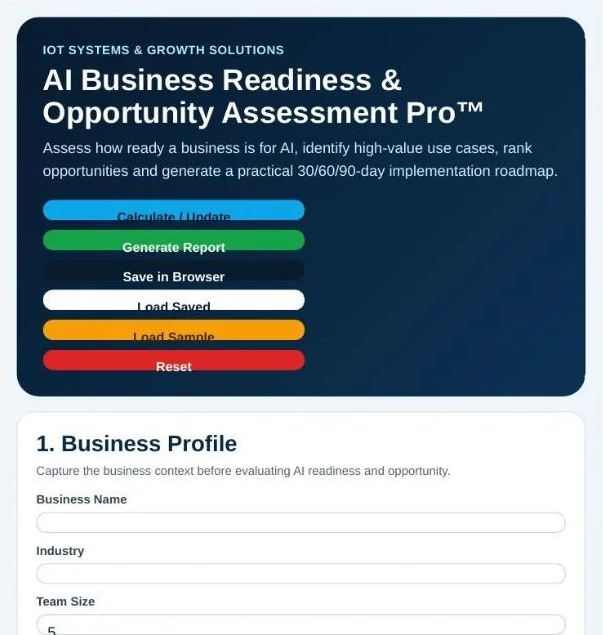
Assess your AI readiness
Describe your business, team and systems, answer the readiness questions and list possible use cases. The tool scores readiness, ranks opportunities and builds a 30/60/90-day roadmap.
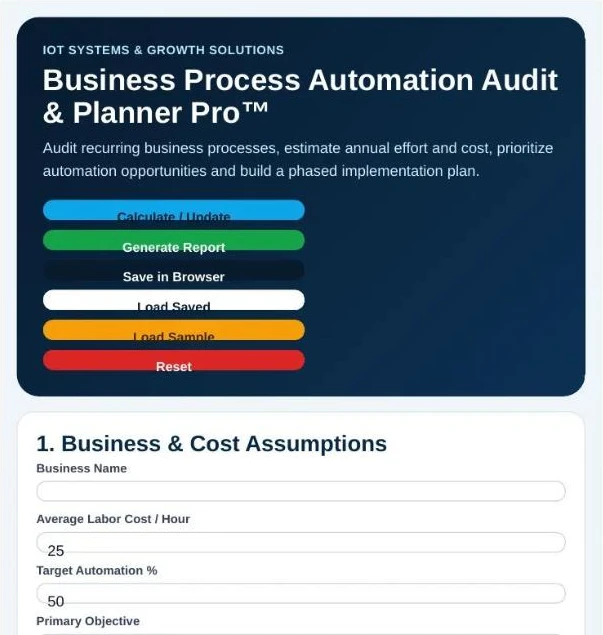
Audit your repeat processes
Enter your labour cost and each recurring process — frequency, minutes, people, errors. The planner estimates yearly effort and cost and ranks what is worth automating.
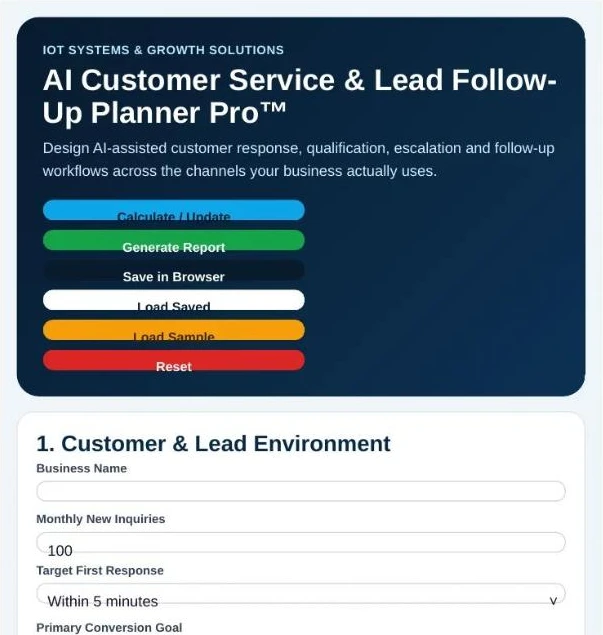
Plan customer replies and follow-up
Set your channels, monthly inquiries and response targets, then decide where AI may help, how leads are qualified, the follow-up cadence and when a person takes over.
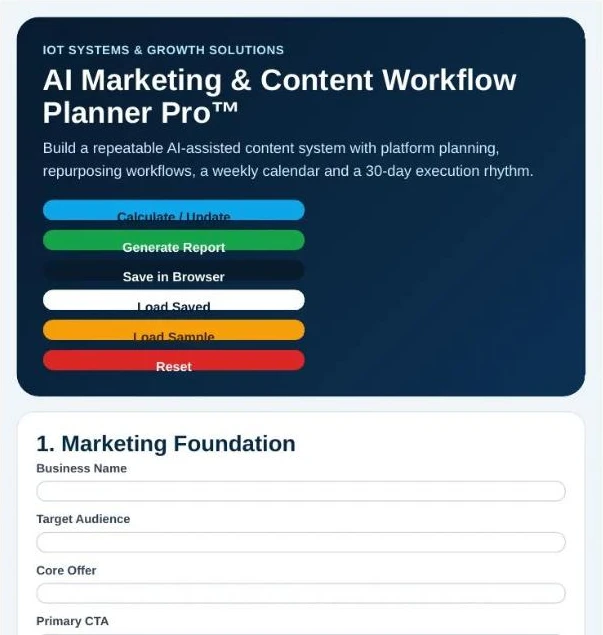
Build a content workflow
Define your audience, offer and content pillars, choose platforms and get a repurposing workflow, a weekly calendar and a 30-day rhythm — then export or print it.
Pricing
One payment for all four tools
The complete bundle is a one-time purchase through Digistore24, delivered as one ZIP file right after payment. Price from the order form.
Complete 4-tool bundle
$99 one-time
Browser-based tools in one downloadable ZIP file.
- AI Business Readiness & Opportunity Assessment Pro
- Business Process Automation Audit & Planner Pro
- AI Customer Service & Lead Follow-Up Planner Pro
- AI Marketing & Content Workflow Planner Pro
- 60-day return period via Digistore24
Taxes may be added at checkout where they apply. Download products can be downloaded up to 5 times within 3 months of payment, so keep a copy of the ZIP file.
Setup guide
Setting up and using the toolkit
There is nothing to install. Plan about an hour for your first assessment and audit; the other two tools take 30–60 minutes each.
Buy and download the ZIP
Check out through Digistore24 ($99 one-time). You are taken straight to the download page; keep the order confirmation e-mail for the 60-day return period.
- Downloads work up to 5 times within 3 months — save the ZIP somewhere safe (cloud drive or USB stick).
Extract the files
Right-click the ZIP → Extract All… (Windows) or double-click it (Mac). Put the folder somewhere you will find it, for example “AI Toolkit”.
Open a tool in your browser
Double-click a tool’s file to open it in a modern browser such as Chrome, Edge, Firefox or Safari. Use the same browser every time, because saved work is stored in that browser.
💡 Bookmark each tool so you can open it again quickly.
Load the sample first
Click Load Sample to see a filled-in example, then Calculate / Update and Generate Report to see what you will get. Click Reset when you are ready to start with your own business.
Start with AI readiness
In the AI Business Readiness & Opportunity Assessment Pro, fill in your business profile, answer the readiness questions and list possible use cases. Click Calculate / Update for your score, ranking and 30/60/90-day roadmap.
Audit your top repeat tasks
In the Business Process Automation Audit & Planner Pro, set your average labour cost per hour and target automation %, then click + Add Process for each recurring task: department, frequency, minutes, people and errors.
- Start with your five most repeated tasks — our savings estimator above shows the idea.
- Export the list as CSV to share or keep.
Plan follow-up and content
Use the Customer Service & Lead Follow-Up Planner for channels, response targets, AI/human rules and escalation, and the Marketing & Content Workflow Planner for pillars, platforms, a weekly calendar and a 30-day rhythm.
Save, report and act
Click Save in Browser as you go, then Generate Report and use Print / Save as PDF to keep and share your plan. Pick the first one or two opportunities and test them for 30 days.
- Clearing your browser data deletes browser-saved work — keep the PDF and CSV copies.
- If the toolkit is not for you, request your refund within the 60-day return period.
Which tool to start with
All four tools are in the bundle. Start with the one that matches your most pressing question.
“Where could AI help us?”
- Open AI Business Readiness & Opportunity Assessment Pro.
- Answer the readiness questions and list use cases.
- Use the 30/60/90-day roadmap as your plan.
Best first tool for most businesses.
“We waste time on routine work”
- Open Business Process Automation Audit & Planner Pro.
- Add your repeat tasks with time and frequency.
- Review the yearly cost and the priority ranking.
Gives you numbers for the decision.
“Leads slip through the cracks”
- Open AI Customer Service & Lead Follow-Up Planner Pro.
- Set response targets and qualification questions.
- Decide when a person must take over.
Pair it with the content planner for marketing.
Six things worth knowing
Load Sample first
See a complete example before entering your own data.
Same browser
Saved work lives in the browser you used.
Export to keep
Save reports as PDF and lists as CSV.
Planning, not doing
It sends nothing and connects to no AI services.
Start small
Pilot one or two opportunities for 30 days.
People in the loop
Keep complaints and complex cases with a person.
Your setup checklist
Free calculators
Try the toolkit’s ideas right here
Estimate what one repeat task costs you, check how ready you are for AI and sketch a lead follow-up plan.
Automation savings estimator
The toolkit’s Process Automation Audit estimates the yearly effort and labour cost of repeat tasks. Try one task here.
Quick AI readiness check
A short version of the kind of questions the AI Readiness Assessment asks. Tick what is true for your business.
Lead follow-up cadence builder
The Customer Service & Lead Follow-Up Planner helps you decide when AI may answer and when a person steps in. Build a simple starting cadence.
| When | Step | Who |
|---|
A planning example only. Complaints, refunds, legal or health questions and unhappy customers should always go to a person.
Quick check
Is Small Business AI & Automation Toolkit right for you?
Answer 5 quick questions.
Do you run or advise a small business or team?
Are you unsure where AI or automation would really help?
Would a written plan or report help you decide or get buy-in?
Are you happy to answer structured questions about your processes?
Do you want software that automates tasks for you right away?
Also consider
Other tools from our Business & Productivity guide that suit different needs.

How to try it
Try the toolkit risk-free in 4 steps
FAQ
Small Business AI & Automation Toolkit questions answered
What is the Small Business AI & Automation Toolkit?
It is a bundle of four browser-based planning and assessment tools: an AI readiness assessment, a process automation audit, a customer service and lead follow-up planner and a marketing and content workflow planner.
Is it an AI agent or automation software?
No. According to the seller it does not send customer messages, publish content, connect to external AI models or deploy automations. It helps you evaluate, document and plan.
How is it delivered?
As one downloadable ZIP file right after purchase. You extract it and open the tools in a modern web browser — no installation needed.
How much does it cost?
$99 one-time for all four tools, plus tax where it applies. There is no subscription.
Is there a refund?
The seller states the purchase is covered by a 60-day return period, handled through Digistore24 and the link in your order confirmation e-mail.
Where is my work saved?
The tools can save your work locally in the browser. That copy stays on that browser and device, so generate a report, save it as PDF or export CSV to keep a backup.
What do the reports include?
Each tool generates a report from your answers — for example a readiness score and 30/60/90-day roadmap, a ranked list of processes with yearly effort and cost, or a weekly content calendar. You can print them or save them as PDF.
Who is it for?
Small-business owners, consultants, service providers and teams who want a structured way to see where AI or automation could help before spending time or money on it.
Will it save my business money?
It can show you where time and cost go and which tasks are worth automating, but the seller makes no promises of savings or growth — results depend on what you implement.
Do I need technical skills?
No. You answer structured questions and fill in simple forms; the tools do the scoring and build the plans.
Free PDF
Download the Small Business AI & Automation Toolkit review & setup guide
Everything on this page in a colourful, printable PDF: our verdict, the four tools explained, the price, the full setup and usage guide, which tool to start with and a checklist.
- Verdict & the 4 tools
- 8-step setup guide
- Which tool to start with
- Printable checklist
About this review
Who wrote it

Serkan Fatih Gökdemir
Founder and Editor, SoftwareSelects
Serkan builds websites, WordPress plugins and online calculator tools himself, so he looks at software the way a working user would. He has also worked for 15 years as a medical laboratory technician, with an education in chemistry, and brings the same habit of checking details carefully to every page: what a product actually does, what it costs, what the refund terms are and who it suits.
Sources: the seller’s sales page and the Digistore24 order form for the Small Business AI & Automation Toolkit, checked on November 26, 2026. Screenshots are the seller’s preview images of the tools.
Questions about the toolkit?
Tell our assistant about your business and the tasks that take the most time. It will tell you whether the toolkit fits and which tool to start with.
Details are based on the seller’s website and the Digistore24 listing as of November 26, 2026 and can change — always confirm the price and refund terms at checkout. SoftwareSelects may earn a commission from purchases made through our assistant’s links, at no extra cost to you. Affiliate disclosure
