Helix One PC Review 2026: All-in-One Windows Maintenance Dashboard
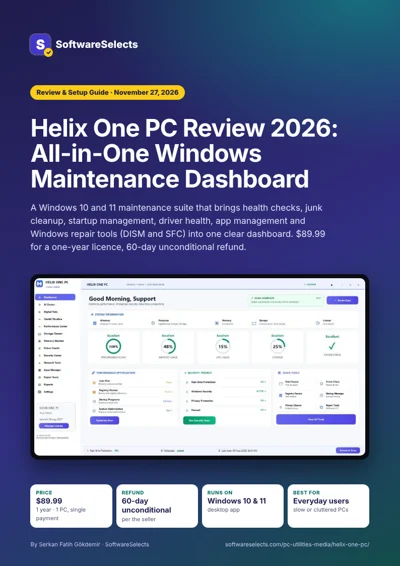
A Windows 10 and 11 maintenance suite that brings health checks, junk cleanup, startup management, driver health, app management and Windows repair tools (DISM and SFC) into one clear dashboard. $89.99 for a one-year licence, 60-day unconditional refund.
Our verdict
One calm dashboard instead of a dozen scattered tools
PC care
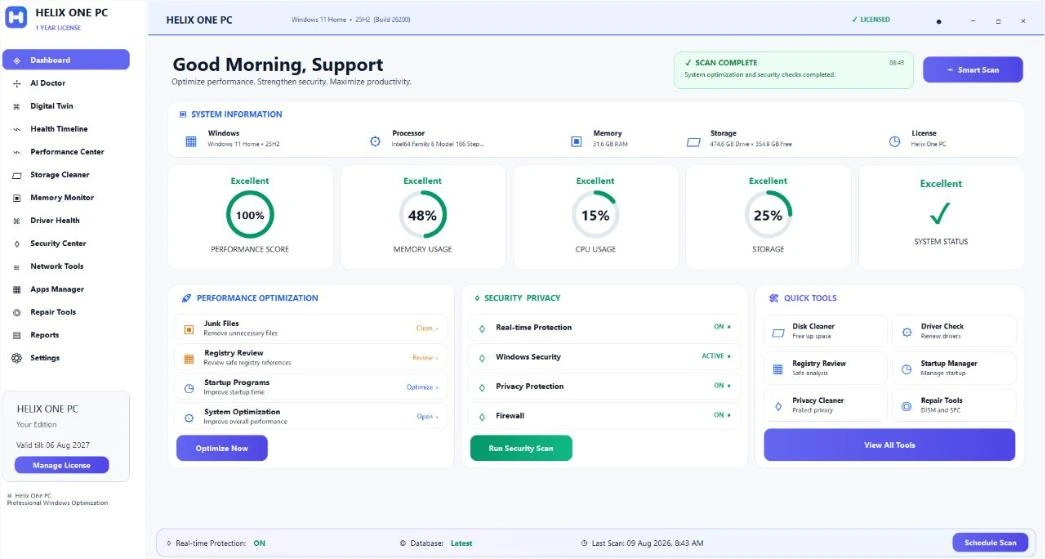
Windows has plenty of maintenance tools, but they are spread across Settings, Task Manager, Disk Cleanup and the command line. Helix One PC gathers them in one modern dashboard: a health overview with system information, a Smart Scan, Storage Cleaner and Disk Cleaner, Startup Manager and Performance Center, Driver Health, Apps Manager, Network Tools, a Security Center that shows your Windows Security and firewall status, and Repair Tools that run Windows’ own DISM and SFC checks. Scans can be scheduled and the Reports and Health Timeline views help you see changes over time. The sales page is refreshingly calm — no scare warnings, and it says plainly that results depend on your PC. At $89.99 for a year it is for people who value a guided, all-in-one workflow; the 60-day unconditional refund makes it easy to test on your own machine.
What we like
- Everything in one place. Health, storage, startup, drivers, apps, network and repair in a single dashboard.
- Uses Windows’ own repair tools. DISM and SFC checks from a clear interface — no command line.
- Calm, honest marketing. No fake alarms; the seller says results depend on your system.
- Scheduled scans. Let routine checks run by themselves.
- Fast support promise. Reply within about 4 hours by e-mail, per the seller.
- Safe to try. 60-day unconditional refund through the Digistore24 offer.
Good to know
- Not an antivirus. The Security Center shows Windows Security status; keep Windows Security or your antivirus running.
- No free trial. You buy the 1-year licence; the 60-day refund is your trial.
- Registry tools: be careful. Microsoft does not support registry cleaners — use “review” only and create a restore point first.
- New offer. Listed on Digistore24 since September 2026; a renewal after the year is a new purchase.
What’s inside
What Helix One PC includes
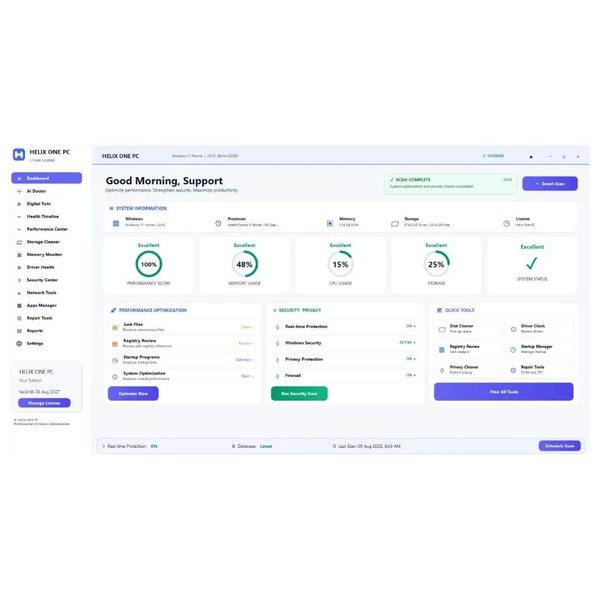
From the seller’s Digistore24 offer page and the app’s dashboard screenshot (November 2026).
Understand
- Health dashboardSystem info, performance score, status
- Smart ScanOne-click check, schedulable
- Health Timeline & ReportsSee changes over time
- AI Doctor & Digital TwinGuided diagnostics views
Clean & speed up
- Storage & Disk CleanerJunk files, free up space
- Startup ManagerFewer programs at start-up
- Performance Center & Memory MonitorSee what uses resources
- Apps ManagerFind and remove programs
Fix & protect
- Repair ToolsWindows DISM and SFC checks
- Driver HealthDriver information and checks
- Security CenterWindows Security, firewall, privacy status
- Network ToolsConnection diagnostics
How it works
From first scan to a tidier PC
Run a Smart Scan
The dashboard shows Windows version, processor, memory, storage and scores for performance, memory, CPU and storage.
Clean and trim start-up
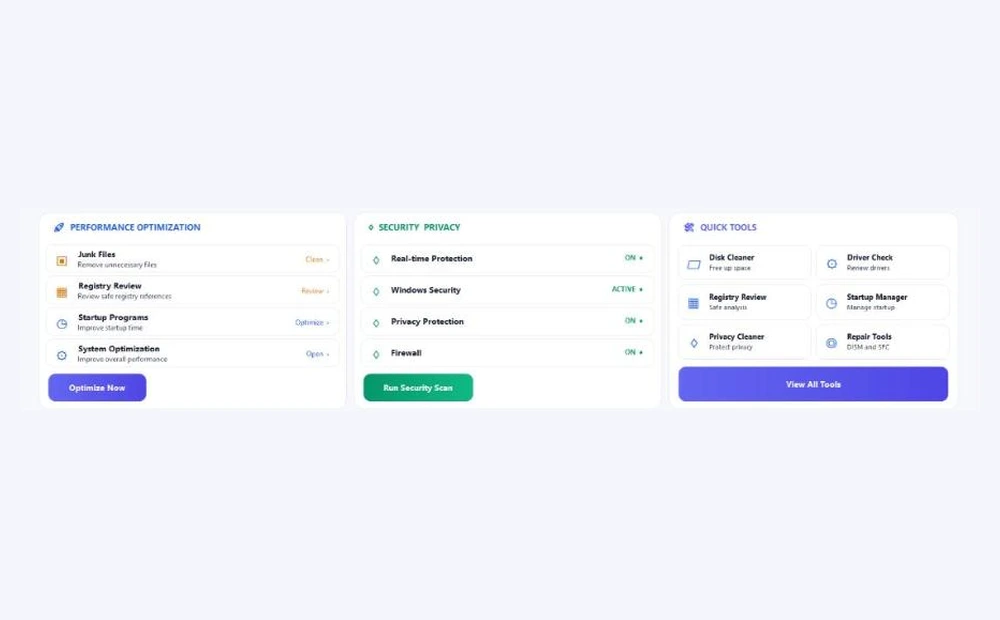
Use Junk Files, Startup Programs and System Optimization — each shows what it will change before you apply it.
Check drivers and security
Driver Health lists driver information; the Security Center shows whether Windows Security and the firewall are on.
Repair Windows if needed
If Windows features are broken, Repair Tools run DISM and SFC to check and restore system files.
Pricing
One licence, one year, one PC
Price from the seller’s Digistore24 offer page. Taxes, if any, are shown at checkout.
Helix One PC
$89.99 one-time
Single payment for a one-year licence.
- All dashboard tools and repair workflows
- Scheduled scans and reports
- E-mail support (aim: reply within 4 hours)
- Windows 10 and 11
- 60-day unconditional refund
The Digistore24 listing marks this as a single payment, not a subscription. After a year you decide whether to buy a new licence.
Setup guide
Setup guide: install, activate and run your first scan
About ten minutes. Do the restore point step before any repairs.
Check your Windows
Settings → System → About. Helix One PC is designed for Windows 10 and 11; install pending Windows updates first.
Buy the licence
Check out through Digistore24. Keep the order e-mail — it contains your purchase reference and refund options.
Download and install
Follow the access and activation instructions you receive after purchase; run the installer and allow it to make changes (it needs admin rights for maintenance tasks).
Activate
Enter your licence details as instructed. The dashboard then shows “Licensed” and the licence end date.
💡 Key missing? E-mail support@helixonepc.com with your order number.
Create a restore point
Windows search → “Create a restore point” → Create. This lets you undo system changes if needed.
Run a Smart Scan
Click Smart Scan on the dashboard and read the results before applying anything.
Clean and optimise
Review Junk Files and Startup Programs, untick anything you want to keep, then apply. Repair Tools (DISM/SFC) only if Windows shows errors.
Schedule and review
Use Schedule Scan for a weekly check and look at Reports or the Health Timeline after a few weeks.
Where to start for your PC
Starting points; the symptom checker above gives more detail.
Slow start-up
- Startup Manager: disable non-essential apps.
- Restart and compare.
- Keep security tools enabled.
Goal: faster boot.
Full drive
- Storage / Disk Cleaner.
- Apps Manager: uninstall unused apps.
- Move media to external storage.
Goal: 15–25% free space.
Windows errors
- Restore point first.
- Repair Tools: DISM, then SFC.
- Driver Health for device issues.
Goal: a stable system.
Six things worth knowing
$89.99 · 1 year
Single payment, 1 PC.
60-day refund
Unconditional, per the seller.
Windows 10 & 11
Admin rights needed.
Not an antivirus
Keep Windows Security on.
DISM & SFC
Windows repair built in.
Restore point
Before big changes.
Your setup checklist
Free calculators
PC tools you can use right now
Find what slows your PC down, see when your drive will be full, get a maintenance routine and check the cost per month.
What is slowing your PC down?
Tick what you notice. We suggest where to start — in Helix One PC or elsewhere.
When will your drive be full?
Windows runs best with at least 15% free space. Check how long you have.
Your maintenance routine
Pick how you use your PC. We build a simple routine you can follow with Helix One PC’s tools.
| How often | Task |
|---|
What does it cost per month?
The licence is $89.99 for one year on one PC.
Quick check
Is Helix One PC right for you?
Answer 5 quick questions.
Do you use Windows 10 or 11?
Is your PC slow, cluttered or showing Windows errors?
Do you prefer one dashboard to digging through Windows settings?
Is $89.99 for a year fine for you?
Are you mainly looking for antivirus protection?
Also consider
Other tools from our PC Utilities & Media guide that suit different needs.


How to try it
Try Helix One PC risk-free in 4 steps
FAQ
Helix One PC questions answered
What is Helix One PC?
A Windows 10 and 11 maintenance suite with a health dashboard, cleanup, startup management, driver health, app management, network tools and Windows repair functions.
How much does it cost?
$89.99 for a one-year licence for one Windows PC, as a single payment through Digistore24.
Is it a subscription?
The Digistore24 offer is a single payment. After the year, buying again is your choice.
Is there a free trial?
No. The seller offers a 60-day unconditional refund instead.
Does it replace my antivirus?
No. Its Security Center shows the status of Windows Security and the firewall; keep your antivirus running.
Can it repair Windows?
It gives access to Windows repair functions such as DISM and SFC, which check and restore system files. Results depend on the problem.
Is registry cleaning safe?
Microsoft does not support registry cleaners. Use the review function carefully and create a restore point before changes.
Will it make my PC faster?
Cleanup and fewer startup programs can help, especially on cluttered PCs. On old hardware, an SSD or more RAM helps more.
How do I get my licence?
Activation instructions arrive after purchase. If your key is missing, e-mail support@helixonepc.com.
How do I get a refund?
Within 60 days, e-mail support with your order details or use the support link in your Digistore24 confirmation — no reason needed.
Free PDF
Download the Helix One PC review & setup guide
Everything on this page in a colourful, printable PDF: our verdict, the features, the price, the 8-step setup guide, where to start for your problem and a maintenance checklist.
- Verdict & features
- 8-step setup guide
- Start points by problem
- Checklist & first-week plan
About this review
Who wrote it

Serkan Fatih Gökdemir
Founder and Editor, SoftwareSelects
Serkan builds websites, WordPress plugins and online calculator tools himself, so he looks at software the way a working user would. He has also worked for 15 years as a medical laboratory technician, with an education in chemistry, and brings the same habit of checking details carefully to every page: what a product actually does, what it costs, what the refund terms are and who it suits.
Sources: the Helix One PC Digistore24 offer page, terms and refund policy, the app dashboard screenshot and the Digistore24 marketplace listing, checked on November 27, 2026. Images are the seller’s.
Questions about Helix One PC?
Tell our assistant what is wrong with your PC. It will tell you whether Helix One PC can help.
Details are based on the seller’s website and the Digistore24 listing as of November 27, 2026 and can change — always confirm the price and refund terms at checkout. SoftwareSelects may earn a commission from purchases made through our assistant’s links, at no extra cost to you. Affiliate disclosure
