Smash House Review 2026: A Bold Website Template for Burger Restaurants
A ready-to-customise restaurant website for burger shops, smash-burger spots and food trucks: menu with prices and photos, interactive cart for order requests, story, promotions and location — plus Netlify and Vercel publishing guides and ChatGPT prompts. From $40.90 one-time, 60-day money-back guarantee.
Our verdict
A restaurant website with real appetite appeal
Restaurants
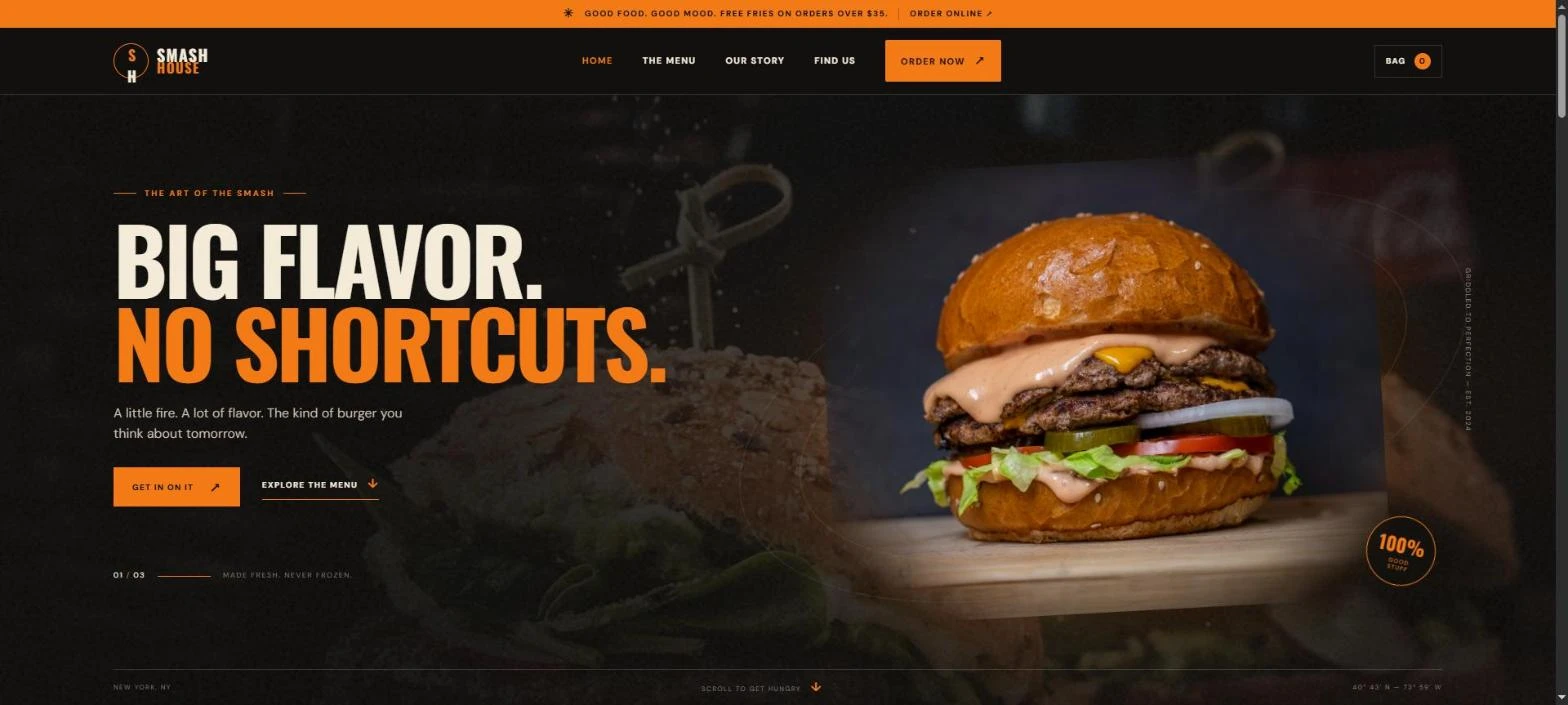
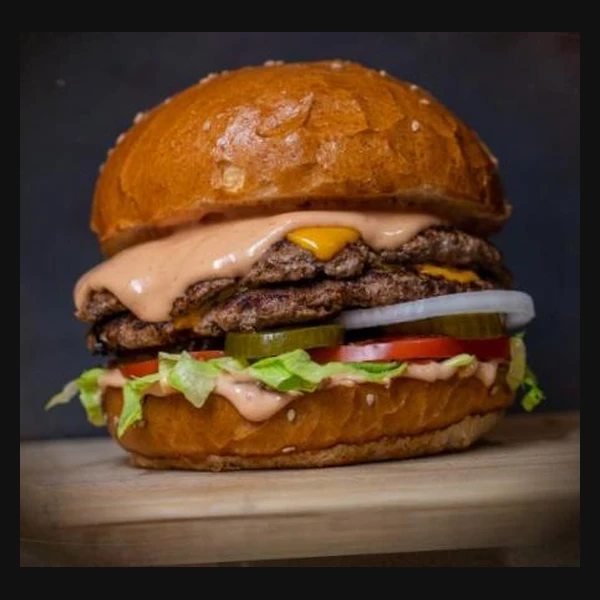
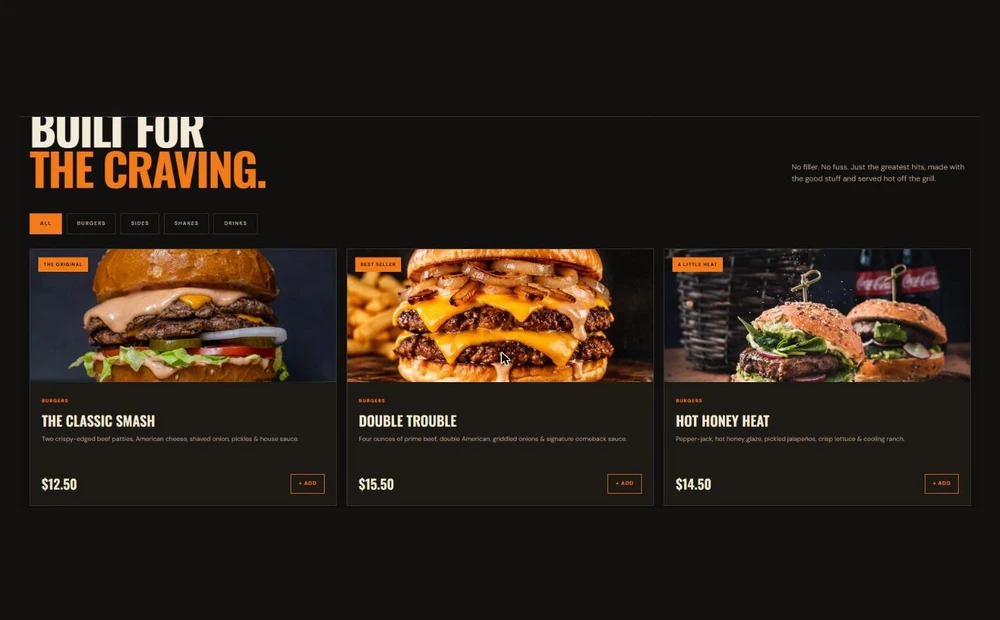
Smash House is a website template with personality. The live demo looks like a modern burger brand: a bold hero, a filterable menu (burgers, sides, shakes, drinks) with photos, descriptions and prices, an “add to bag” cart with quantity controls and subtotal, sections for your story, promotions, location and social links, and it works on phones, tablets and desktops. You get the complete website files as a ZIP, step-by-step PDF guides for publishing on Netlify or Vercel (both have free plans for small sites), a customisation guide with ready-to-use ChatGPT prompts and a single-business commercial licence. The seller is clear about the limits: the cart sends order requests but does not take card payments, and there is no POS or delivery integration. For $40.90 once — or $80 with 30 days of e-mail help — and a 60-day money-back guarantee, it is a very affordable way for a burger restaurant to look professional online.
What we like
- Looks the part. Bold, modern design made for burger brands.
- Menu that sells. Categories, photos, descriptions and prices.
- Interactive cart. Add to bag, quantities and subtotal for order requests.
- Free hosting options. Guides for Netlify and Vercel publishing.
- Help included. Customisation guide with ChatGPT prompts; Premium adds 30 days of e-mail support.
- Low risk. From $40.90 once, with a 60-day money-back guarantee.
Good to know
- No online payments. The cart takes order requests; there is no card payment, POS, tax or delivery dispatch.
- Some file editing. Basic familiarity with website files helps; the guides walk you through it.
- Replace demo content. Swap in your own name, menu, prices and photos before launch.
- One business. The licence covers one restaurant; no resale or sharing.
What’s inside
What you get
From the Smash House sales page and live demo (November 2026).
The website
- Responsive designDesktop, tablet, mobile
- MenuCategories, photos, prices
- Interactive cartQuantities and subtotal
- Restaurant essentialsStory, promos, location, contact, social
The guides
- Netlify guideStep by step (PDF)
- Vercel guideAlternative host (PDF)
- Customisation guideEditing instructions (PDF)
- ChatGPT promptsTailor texts and code
The licence
- Website ZIPFiles and demo assets
- Single businessCommercial use for one restaurant
- Premium option30 days e-mail help
- 60-day guaranteeVia Digistore24
How it works
From ZIP file to live restaurant site
Download and preview
Download the ZIP, extract it and open the site locally to see the demo with all sections.
Make it yours
Replace the name, logo, colours, menu, prices and photos. The customisation guide and ChatGPT prompts help with the edits.
Publish for free
Follow the Netlify or Vercel guide to put the site online, then connect your own domain.
Take order requests
Customers add dishes to the bag and send an order request. Confirm and take payment your way — phone, in store or a payment link.
Pricing
Two packages, paid once
From the sales page and Digistore24 order form. Both include the same website and guides.
Standard
$40.90 one-time
For hands-on owners.
- Complete Smash House website ZIP
- Netlify and Vercel publishing guides
- Customisation guide with ChatGPT prompts
- Single-business commercial licence
- 60-day money-back guarantee
Premium Support
$80 one-time
Everything in Standard, plus help.
- 30 days of e-mail technical support
- Help downloading and extracting files
- Guidance with basic customisation
- Guidance publishing on Netlify or Vercel
- Replies within 1–2 business days
Hosting, domain, payment processing, custom development and third-party fees are not included. Premium support is guidance, not done-for-you setup.
Setup guide
Setup guide: launch your restaurant site
An afternoon for most owners. Have your menu, prices, photos and logo ready.
Look at the live demo
Open the demo from the sales page on your phone and computer and note what you want to change.
Buy a package
Choose Standard ($40.90) or Premium ($80) at Digistore24 checkout and download the ZIP and PDF guides.
Extract and preview
Unzip the files on your computer and open the main page in your browser to see the site locally.
Replace the brand
Follow the customisation guide to change the name, logo, colours and contact details. Use the ChatGPT prompts for help with texts and edits.
💡 Keep a copy of the original files before editing.
Add your menu
Edit categories, dishes, descriptions and prices; replace demo photos with your own food photos.
Set up ordering
Decide how you confirm order requests and take payment (phone, in store, payment link) and say so near the order button.
Publish on Netlify or Vercel
Follow the publishing guide, then connect your domain in the host’s settings.
Launch and share
Test on a phone, update your Google Business Profile and social links with the new site address.
How to use it for your place
Starting points.
Burger shop
- Full menu with photos.
- Promotions section for deals.
- Order requests + pickup.
Goal: more direct orders.
Food truck
- Use “Find us” for today’s spot.
- Short menu, big photos.
- Link your socials.
Goal: people find you.
New brand
- Premium package for help.
- Story section for your origin.
- Share on Google and social.
Goal: look established from day one.
Six things worth knowing
From $40.90
One-time.
Live demo
Try before you buy.
No card payments
Order requests only.
Netlify / Vercel
Free plans exist.
One business
Licence scope.
60-day refund
Via Digistore24.
Your setup checklist
Free calculators
Restaurant tools you can use right now
Work out your launch cost, see what direct orders could save versus delivery apps, sharpen your menu descriptions and run a launch checklist.
What will launch cost in year one?
The template is paid once; hosting and a domain are separate. Netlify and Vercel have free plans for small sites.
Direct orders vs. delivery apps
Every order that comes through your own site instead of a delivery app keeps the commission in your pocket.
Menu description checker
Short, tasty descriptions sell. Paste one dish description.
Launch checklist
Tick these off before you share your new site.
Quick check
Is Smash House Website Template right for you?
Answer 5 quick questions.
Do you run a burger restaurant, shop or food truck?
Do you want a modern website without paying a designer?
Can you follow a step-by-step guide to edit files?
Do you handle payment in store or by phone?
Do you need full online payments and delivery integration?
Also consider
Other tools from our Website & Marketing guide that suit different needs.

How to try it
Try Smash House risk-free in 4 steps
FAQ
Smash House Website Template questions answered
What is Smash House?
A ready-to-customise website template for burger restaurants, smash-burger shops, food trucks and independent food brands.
How much does it cost?
Standard is $40.90 one-time; Premium Support is $80 one-time and adds 30 days of e-mail help.
Can customers pay online?
No. The template has an interactive cart and order-request interface but does not process card payments or include POS or delivery integrations.
Do I need coding skills?
The guides cover the main steps. Some edits may need basic familiarity with website files.
Where do I host it?
The package includes guides for Netlify and Vercel, which both offer free plans for small sites.
Can I see it before buying?
Yes, there is a public live demo linked from the sales page.
Can I use it for several restaurants?
No. The licence covers one business; redistribution and resale are not allowed.
What does Premium support include?
E-mail help with downloading, extracting, basic customisation and publishing for 30 days — not custom development.
Is hosting or a domain included?
No. Hosting, domain and third-party fees are separate.
Can I get a refund?
Yes, within 60 days through Digistore24.
Free PDF
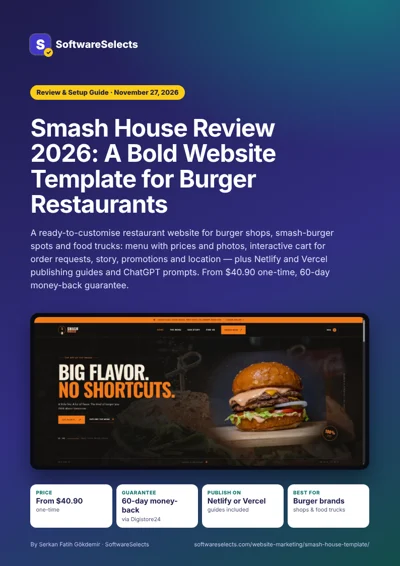
Download the Smash House review & setup guide
Everything on this page in a colourful, printable PDF: our verdict, what you get, both packages, the 8-step setup guide, ideas by restaurant type and a launch checklist.
- Verdict & contents
- 8-step setup guide
- Ideas by restaurant
- Launch checklist
About this review
Who wrote it

Serkan Fatih Gökdemir
Founder and Editor, SoftwareSelects
Serkan builds websites, WordPress plugins and online calculator tools himself, so he looks at software the way a working user would. He has also worked for 15 years as a medical laboratory technician, with an education in chemistry, and brings the same habit of checking details carefully to every page: what a product actually does, what it costs, what the refund terms are and who it suits.
Sources: the Smash House sales page, live demo and Digistore24 order form, checked on November 27, 2026. Screenshots are from the seller’s live demo.
Questions about Smash House?
Tell our assistant about your restaurant. It will tell you whether the template fits.
Details are based on the seller’s website and the Digistore24 listing as of November 27, 2026 and can change — always confirm the price and refund terms at checkout. SoftwareSelects may earn a commission from purchases made through our assistant’s links, at no extra cost to you. Affiliate disclosure
