LingChat Review 2026: Speaking Practice With AI Partners in 60+ Languages
An AI language app for iOS and Android: chat and talk with AI characters, get instant corrections, translations and reply suggestions, and practise with real people — $9.99 a month or $69.99 a year, both with a 7-day free trial and a 60-day money-back guarantee.
Our verdict
A patient speaking partner in your pocket
language app
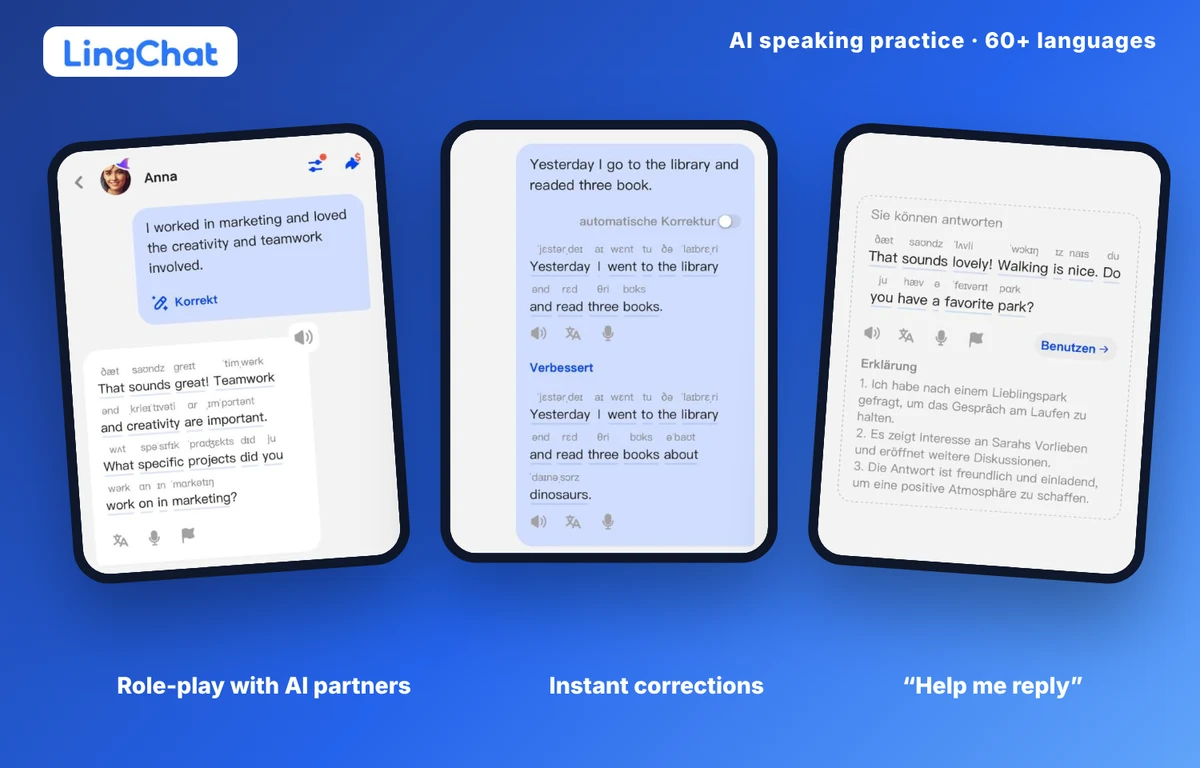
Speaking is the hardest part of learning a language, and the part most apps skip. LingChat is built around it: you chat or talk with AI characters — a teacher, a travel guide, a business professional — in role-plays and free conversation, and the app corrects your sentences, shows pronunciation, translates any word you tap and suggests a reply when you get stuck. You can also practise with real people in its community. Users on the app stores rate it 4.8 out of 5, according to the seller. With a 7-day free trial, a 60-day money-back guarantee and a yearly price of under $6 a month, it is an easy, low-risk way to add daily speaking practice to your learning.
What we like
- Practise speaking any time. AI partners are available 24/7 — no scheduling, no nerves.
- Corrections as you go. See your sentence corrected, with pronunciation shown above each word.
- Never stuck for words. Tap any word to look it up, translate a message or use “Help me reply”.
- Real situations. Role-play, shadowing practice and characters for teaching, travel and business.
- Real people too. Practise with native speakers and other learners in the community.
- Easy, safe start. 7-day free trial, a 60-day money-back guarantee and plans that cancel any time.
Good to know
- It renews automatically. Both plans renew until you cancel; cancel during the trial and you are not charged.
- Use the same e-mail. Your Pro membership is tied to the e-mail you enter at checkout.
- Practice, not a full course. Pair it with listening, reading and grammar study for steady progress.
- AI is not perfect. Some users mention speech recognition or translations that are not always exact.
What’s inside
Everything built around speaking
These are the features the seller describes for LingChat Pro. The app’s interface is available in many languages.
Talk
- AI charactersTeacher, travel guide, business pro and more
- Role-playPractise real situations step by step
- Shadowing practiceRepeat after native-like audio
- Real friendsChat with native speakers and learners
Get help
- Real-time correctionsYour sentence, corrected and explained
- TranslateTranslate any message into your language
- Tap-to-lookupMeaning and pronunciation of any word
- Help me replyA suggested answer with an explanation
Plans & access
- 60+ languagesEnglish, Spanish, Japanese, Korean, Chinese and more
- One accountiOS, Android and tablet
- 7-day free trialOn monthly and yearly plans
- 60-day guaranteeMoney back if it is not for you
How it works
From your first “hello” to real conversations
Pick a partner and a situation
Choose an AI character — a patient teacher for beginners, a travel guide or a business professional — or start a role-play for a real situation like ordering food or a job interview.
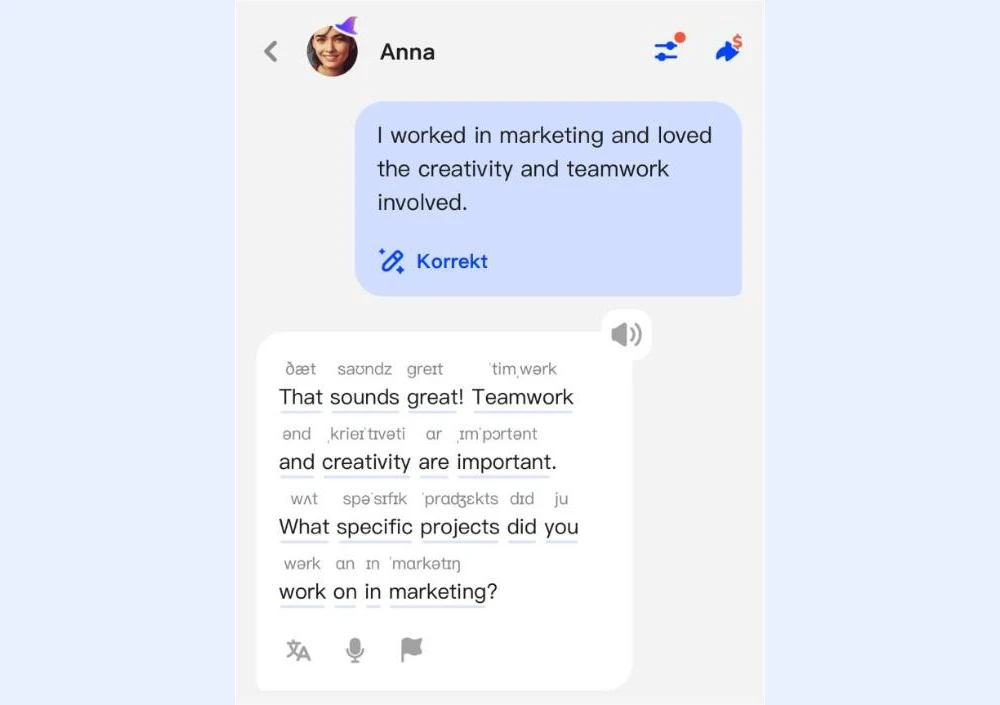
Write or speak — and get corrected
Type or say your answer. LingChat shows a corrected version with pronunciation, so you learn from every message. Switch on automatic correction if you like.
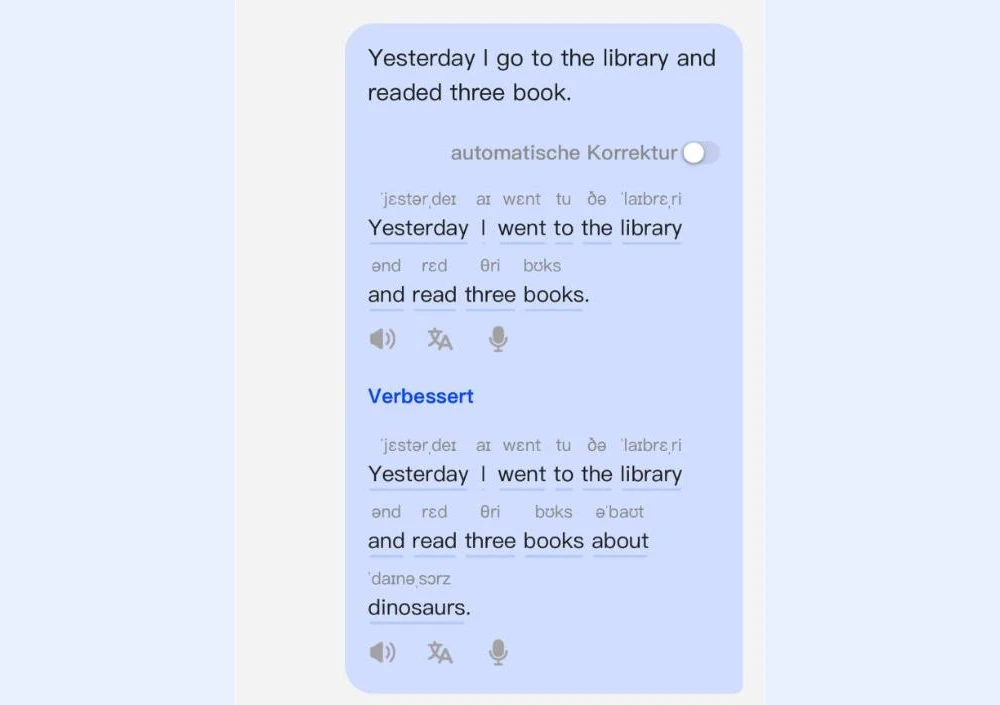
Tap, translate, understand
Tap any word to look it up, translate a whole message into your language and listen to it again as often as you need.
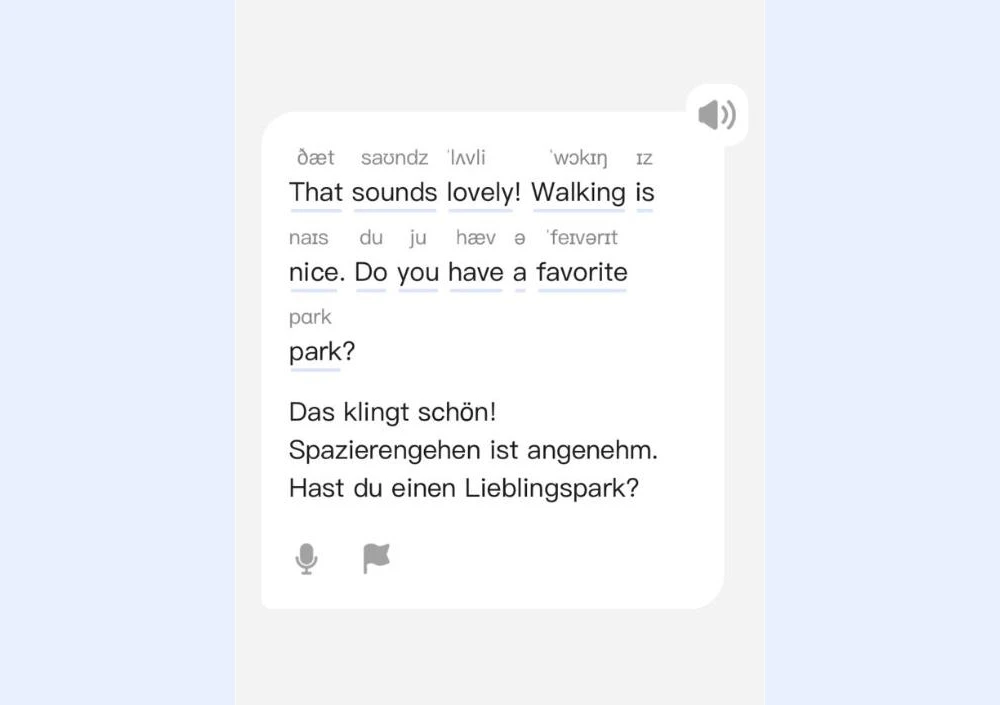
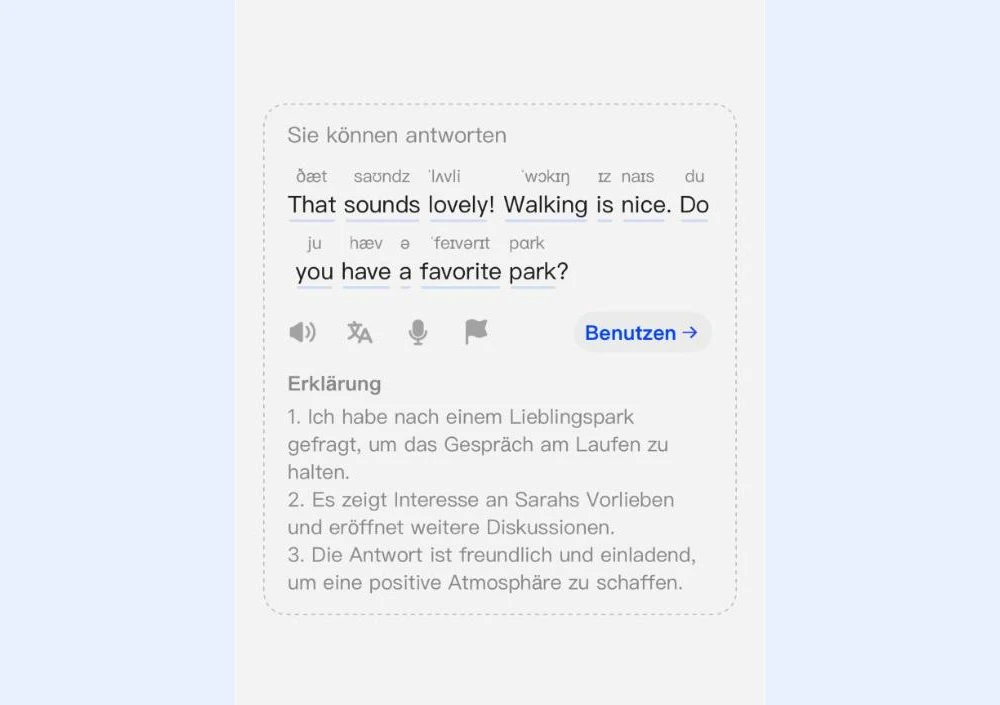
Stuck? Get a suggested reply
Use “Help me reply” for a natural answer with an explanation of why it works — then say it yourself to practise.
Pricing
Two simple plans, both with a free trial
LingChat Pro is a subscription through Digistore24. Both plans include a 7-day free trial; cancel during the trial and you are not charged. Prices from the order form.
Yearly
$69.99 per year
About $5.83 a month.
- 7-day free trial
- All Pro features, 60+ languages
- iOS and Android, one account
- Renews yearly; cancel any time before renewal
- 60-day money-back guarantee
Monthly
$9.99 per month
Most flexible.
- 7-day free trial
- All Pro features, 60+ languages
- iOS and Android, one account
- Renews monthly; cancel any month
- 60-day money-back guarantee
VAT is included on the order form where it applies. After purchase you receive the App Store and Google Play download links; your Pro membership is activated on the e-mail you used at checkout.
Setup guide
Getting started with LingChat
Setup takes about five minutes. The most important detail: use the same e-mail address everywhere.
Choose a plan and start the free trial
Pick monthly ($9.99) or yearly ($69.99) on the Digistore24 order form. Both start with a 7-day free trial.
- Enter the e-mail address you want to log in with — your Pro membership is bound to it.
- Note the date your trial ends; cancel before then if you decide not to continue.
Open the download links
After checkout you receive the App Store and Google Play links. Keep the Digistore24 order e-mail — it also has the cancellation and refund links.
Install the app
Install LingChat on your iPhone, iPad or Android phone or tablet. One account works on all your devices.
Sign in with the same e-mail
Open the app and sign in with the e-mail you used at checkout. Your Pro membership is activated automatically.
💡 Pro not showing? Check that you signed in with exactly the same e-mail, then contact the seller’s support address on the sales page.
Set your languages
Choose your native language (for translations and explanations) and the language you want to learn, and set your level honestly so the AI matches it.
Pick an AI partner
Start with a patient teacher character if you are a beginner; try the travel or business characters and role-plays as you grow.
- Allow microphone access if you want to practise speaking out loud.
Use the help tools
Turn on automatic correction, tap any word for lookup, use Translate on difficult messages and Help me reply when you are stuck — then say the answer yourself.
- Try shadowing practice to work on pronunciation.
Build a daily habit
Practise 10–20 minutes a day, ideally at the same time. Add real people from the community once you feel confident.
- Decide before the trial ends whether to keep it — and remember the 60-day money-back guarantee after that.
A starting plan for your level
Suggested ways to use LingChat at each stage. Adjust them to your goals.
Beginner (A1–A2)
- Pick a patient teacher character.
- Use Translate and tap-to-lookup freely.
- Use Help me reply, then say it yourself.
10–15 minutes a day is plenty.
Intermediate (B1–B2)
- Do role-plays for travel, work and daily life.
- Turn on automatic correction and review mistakes.
- Try speaking instead of typing.
Aim for 20 minutes a day.
Exam or work goal
- Practise with the business character.
- Simulate interview or exam speaking tasks.
- Add real people for natural conversation.
Combine with exam materials.
Six things worth knowing
Same e-mail
Checkout e-mail = login e-mail = Pro access.
7-day trial
Cancel during it and you are not charged.
Auto-renewal
Plans renew until you cancel.
Microphone
Allow access to practise speaking out loud.
Little and often
15 minutes daily beats two hours once a week.
60-day guarantee
Your money back if it is not for you.
Your setup checklist
Free calculators
Plan your language practice
See how long your next level could take, which plan is cheaper for you, and how AI practice compares with paid lessons.
Speaking goal planner
How long until you reach your next level if you practise every day? Pick your current and target level (CEFR) and your daily minutes.
A rough guide based on commonly cited guided-learning-hour ranges for English (Cambridge). Other languages, especially ones far from your own, can take much longer.
Monthly or yearly plan?
Both plans start with a 7-day free trial. See what each costs for the time you expect to practise.
Practice cost vs. a tutor
Compare unlimited AI speaking practice with paid conversation lessons for the same amount of speaking time.
Quick check
Is LingChat right for you?
Answer 5 quick questions.
Do you want to get better at speaking a language, not just reading it?
Do you have an iPhone, iPad or Android device?
Could you practise 10–20 minutes on most days?
Do you feel shy speaking with real people at first?
Do you need an official course with certificates and a teacher?
Also consider
Other tools from our Learn Tech Skills guide that suit different needs.



How to try it
Try LingChat risk-free in 4 steps
FAQ
LingChat questions answered
What is LingChat?
LingChat is an AI-powered language app for iOS and Android. You practise speaking and writing with AI characters and real people, with corrections, translations, word lookup and suggested replies.
How many languages does it support?
More than 60, according to the seller, including English, Spanish, French, German, Italian, Portuguese, Japanese, Korean and Mandarin Chinese.
How much does LingChat cost?
$9.99 a month or $69.99 a year (about $5.83 a month). Both plans include a 7-day free trial.
How does the free trial work?
You start a monthly or yearly plan with a 7-day free trial. If you cancel during the trial, you are not charged; otherwise the plan starts and renews automatically.
How do I cancel?
Use the cancellation link in your Digistore24 order e-mail or the “Cancel My Order” option on Digistore24. Monthly plans can be cancelled monthly and yearly plans yearly.
Is there a money-back guarantee?
Yes. The seller offers a 60-day money-back guarantee on both plans.
How do I log in after buying?
You receive the App Store and Google Play links. Install the app and sign in with the same e-mail address you used at checkout — your Pro membership is tied to it.
Is it good for beginners?
Yes. There are patient teacher characters, translations, tap-to-lookup and “Help me reply”, so you can take part even with little vocabulary.
Can I practise with real people?
Yes. LingChat has a community of native speakers and other learners you can chat with, according to the seller.
Will it make me fluent?
It gives you regular speaking practice, which is key to fluency, but progress depends on how much you practise. Combine it with listening, reading and grammar study for the best results.
Free PDF
Download the LingChat review & setup guide
Everything on this page in a colourful, printable PDF: our verdict, every feature explained, both plans and the free trial, the full setup guide, a starting plan for your level and a checklist.
- Verdict & all features
- 8-step setup guide
- Plan for your level
- Printable checklist
About this review
Who wrote it

Serkan Fatih Gökdemir
Founder and Editor, SoftwareSelects
Serkan builds websites, WordPress plugins and online calculator tools himself, so he looks at software the way a working user would. He has also worked for 15 years as a medical laboratory technician, with an education in chemistry, and brings the same habit of checking details carefully to every page: what a product actually does, what it costs, what the refund terms are and who it suits.
Sources: the LingChat sales page and the Digistore24 order form, checked on November 26, 2026. App screenshots are the seller’s images. Level hours are a rough guide based on commonly cited Cambridge English guided-learning-hour ranges.
Questions about LingChat?
Tell our assistant which language you are learning, your level and your goal. It will tell you whether LingChat fits and which plan to start with.
Details are based on the seller’s website and the Digistore24 listing as of November 26, 2026 and can change — always confirm the price and refund terms at checkout. SoftwareSelects may earn a commission from purchases made through our assistant’s links, at no extra cost to you. Affiliate disclosure
