ClickDesigns Review 2026: Boxshots, Mockups & Sales Graphics Made Easy
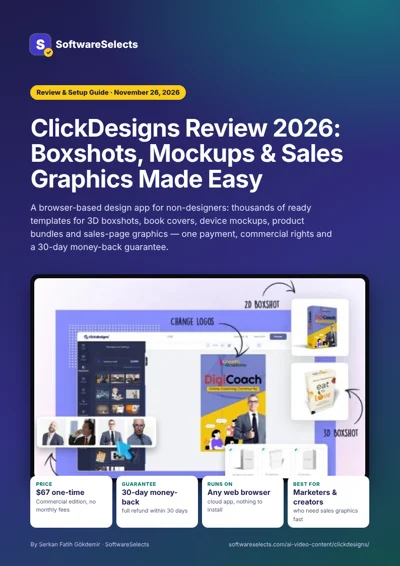
A browser-based design app for non-designers: thousands of ready templates for 3D boxshots, book covers, device mockups, product bundles and sales-page graphics — one payment, commercial rights and a 30-day money-back guarantee.
Our verdict
The quickest way to professional sales-page graphics
Sales graphics
ClickDesigns is built for one job and does it well: turning your product into the graphics a sales page needs — 3D boxshots, ebook covers, device mockups, bundle shots, badges and buttons — without design skills. You pick a template from 28 niches, swap in your text and images, and export in high resolution. One payment covers the Commercial edition with rights to sell the designs you make, it is used by users in 135 countries, and the 30-day money-back guarantee lets you test it on your next launch risk-free.
What we like
- One payment, no subscription. The Commercial edition is $67 once — no monthly or yearly fees, per the seller.
- Made for non-designers. Point-and-click templates for boxshots, covers, reports, mockups and bundles across 28 niches.
- Commercial rights included. You own what you create and can sell designs to clients.
- Royalty-free assets. Millions of photos, icons and elements with no attribution needed — or upload your own.
- Built-in AI. An AI Image Creator and an AI Content Writer for headlines, CTAs and bullet points.
- Fits your workflow. Chrome extension, WordPress media library plugin and integrations with Groove.cm, Convertri and GoHighLevel.
Good to know
- Marketing-focused. Its strength is product and sales-page graphics, not photo retouching or video editing.
- Optional upgrades. Higher account levels are offered inside the member area — the core edition works on its own.
- Refund fees. The seller notes that transaction or refund fees are the buyer’s responsibility.
- Browser app. You need an internet connection to design; finished files are yours to keep.
What’s inside
Every graphic a sales page needs, in one editor
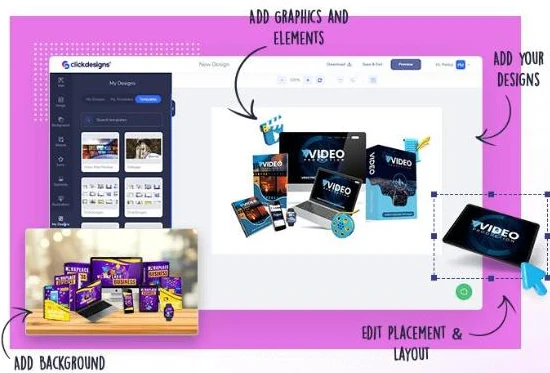
ClickDesigns combines a drag-and-drop editor with thousands of done-for-you templates. Export in JPG, PNG, WebP or PDF at up to 300 DPI — with optional watermarks.
Product graphics
- 2D & 3D boxshotsSoftware and course boxes in several angles
- Book & ebook coversFlat, 2D and 3D covers
- Reports & white papersPresent PDFs and printables in 3D
- Logos & faviconsReady-to-edit logo templates
Mockups & bundles
- Device mockupsMonitor, laptop, desktop, tablet, phone and watch
- Product bundlesGroup shots that show the full value of an offer
- Bundle template designerPre-made wireframes: pick a layout, add designs
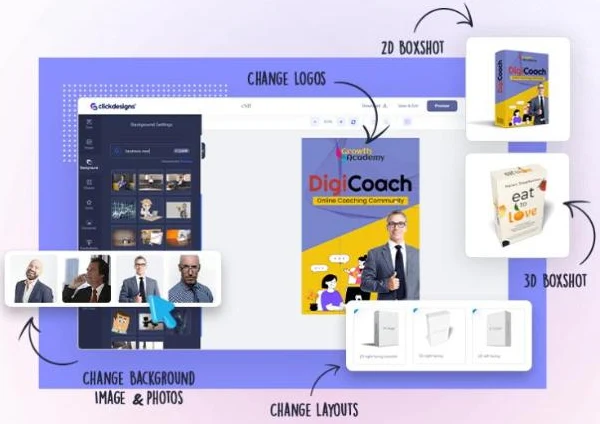
- Multi-angle viewsShadows, reflections and layouts
Sales & AI tools
- Sales funnel graphicsBadges, buttons, guarantees, coupons, testimonials, arrows
- AI Image CreatorText-to-image with styles and aspect ratios
- AI Content WriterHeadlines, CTAs, taglines and benefit bullets
- Stock libraryMillions of royalty-free photos and illustrations
How it works
From template to finished graphic in four steps
Pick a template
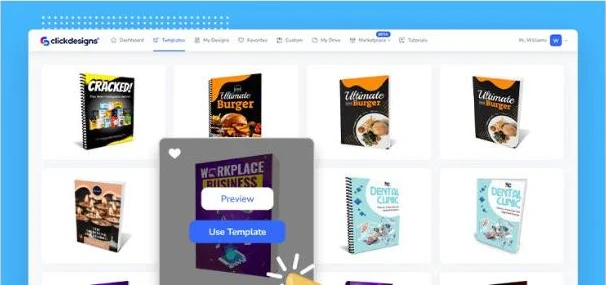
Open Templates and choose a category — covers, boxshots, mockups, bundles or funnel graphics. Preview it full-size, then click Use Template.
Make it yours
Change the logo, text, colours and background images in the editor — or upload your own photos. Layers keep every element separate and easy to edit.
Put it on any device
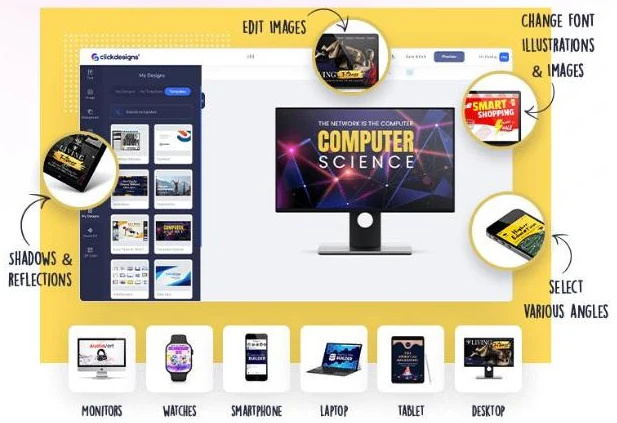
Place your design on monitors, laptops, tablets, phones and watches, with shadows and reflections, in several angles.
Bundle it and export
Combine your covers and mockups into a product bundle, then export in high resolution (up to 300 DPI) and drop it into your sales page.
Pricing
One payment for the Commercial edition
ClickDesigns is sold through Digistore24 as a one-time purchase. Prices are in US dollars, from the Digistore24 checkout and the seller’s sales page.
ClickDesigns Commercial
$67 one-time
No monthly or annual fees, per the seller.
- Drag-and-drop editor and 1,000s of templates
- AI Image Creator and AI Content Writer
- Boxshots, covers, reports, mockups and bundles
- Commercial rights to sell your designs
- Chrome extension, WordPress plugin, training and community
Freelancer comparison
$25–$50 per graphic
Typical freelance prices quoted by the seller.
- Book cover: $25–$45 each
- Boxshot: $25–$30 each
- Product bundle: $35–$50 each
- Graphics & illustrations: $25–$30 each
- Plus waiting time and revisions
The seller sometimes offers seasonal discount codes, and optional upgrades are available inside the member area. The current price is always shown at checkout.
Setup guide
Setting up ClickDesigns and making your first design
Getting started takes about 10 minutes. Follow these steps in order — by the end you will have your first finished graphic.
Check out and watch your inbox
Complete the Digistore24 checkout with the email address you want to log in with. Digistore24 sends your receipt, and ClickDesigns emails your login details to the same address.
- Keep the Digistore24 order email — it has your order ID and the refund link.
- No logins after a few minutes? Check your Spam folder and the Promotions tab.
💡 Your 30-day money-back window starts on the day you pay — plan your first designs for the first week.
Log in to the app
Go to app.clickdesigns.com/login and sign in with the details from the email. ClickDesigns runs in the cloud — nothing to install.
- Logins still missing? Open
app.clickdesigns.com/forgetand enter your order email — if your payment went through, your account already exists and you will get a reset link. - Still stuck? Email ClickDesigns support with your order ID.
Get to know the dashboard
The top menu has everything: Templates, My Designs, Favorites, Custom, My Drive, Marketplace and Tutorials.
- Start with Tutorials (also at
app.clickdesigns.com/tutorials) for short over-the-shoulder videos. - Upload your logo and product images to My Drive so they are ready in the editor.
Create your first design from a template
Click Templates, choose a category (for example Covers → Books), click Preview to see it full-size, then Use Template. Give the file a name and click Continue.
- Click Edit to customise it, or Export Flat to download it as a flat image right away.
- Want a blank canvas? Choose Start From Scratch inside a category.
Edit text, images and layers
In the editor, change the text, colours and images. Open Layers (top right) to see every element separately.
- Rename layers with the pencil icon — it makes later edits much faster.
- Use the colour picker to match your brand colours, and the image mask tool to shape photos.
- Add your own logo from My Drive, or search the royalty-free library.
💡 Save often — your work stays in My Designs and you can reuse it for the next mockup or bundle.
Use the AI tools
Click Image AI at the lower left of the editor. Describe the image you want, optionally add a negative prompt (what to avoid), pick the number of variations, a style and an aspect ratio, then click Generate Image.
- Example prompt: “Image of a woman wearing a black dress, looking mysterious”. Example negative prompt: “blurry, out of frame”.
- The AI Content Writer in the editor writes headlines, calls to action, taglines and benefit bullets for your design.
Export and publish
Download your design as JPG, PNG, WebP or PDF. Choose 72, 96 or 300 DPI and an original, medium or small size — use the export helper above to pick the right settings.
- Use 300 DPI for print and logos; WebP or PNG at 96 DPI for web pages.
- You can add a watermark when sharing drafts with clients.
Optional: connect ClickDesigns to your browser and website
Skip downloading and uploading files — get your designs straight into Chrome, WordPress or your page builder.
Chrome extension
- In the ClickDesigns dashboard, click Activate Chrome Extension, then Add to Chrome → Add extension.
- Pin it: Chrome extensions icon → pin ClickDesigns.
- In ClickDesigns open Profile → Settings → API Key and copy the key.
- Open the extension, click Do you have an API key?, paste it and click Submit.
Then search, download or edit any of your designs from the Chrome toolbar.
WordPress
- Use the ClickDesigns WordPress media library plugin included with your purchase.
- Connect it to your account, then insert designs into posts and pages without downloading.
- Works with Elementor, Divi, WooCommerce, Beaver Builder, Thrive Architect and more, per the seller.
Find the plugin and its instructions in your ClickDesigns member area.
Page builders & CRMs
- ClickDesigns connects directly inside Groove.cm, Convertri and GoHighLevel.
- Connect your ClickDesigns account in the builder to see your graphics there.
- Any other builder: export PNG or WebP and upload as usual.
More integrations are being added, according to the seller.
Six quick wins for your first week
A 3D cover for your lead magnet
Covers → Books or Reports → edit title → export PNG.
A boxshot for your course or software
Boxshots → pick an angle → add your logo.
Your product on a laptop and phone
Mockups → Devices → drop in a screenshot of your product.
A bundle shot of everything you offer
Bundles → choose a wireframe → add your saved designs.
Badges and a guarantee seal
Funnel graphics → Guarantees and Badges → match your colours.
A headline written by AI
Open the AI Content Writer in the editor and generate a headline.
Your setup checklist
Free calculators
See what ClickDesigns saves on your next launch
Plan the graphics for your offer and pick the right export settings.
Launch graphics planner
Pick what you are selling. We list the graphics a typical sales page needs and what they would cost from a freelancer.
The seller quotes $25–$50 per boxshot, cover or bundle on freelance sites — set your own price above.
Export size & DPI helper
ClickDesigns exports at 72, 96 or 300 DPI in JPG, PNG, WebP or PDF. Find the right setting for where your design will be used.
Quick check
Is ClickDesigns right for you?
Answer 5 quick questions.
Do you sell products, courses, services or affiliate offers online?
Do you need covers, boxshots, mockups or sales-page graphics?
Would you rather use templates than learn Photoshop?
Do you prefer a one-time payment to a monthly subscription?
Is professional photo retouching your main need?
Also consider
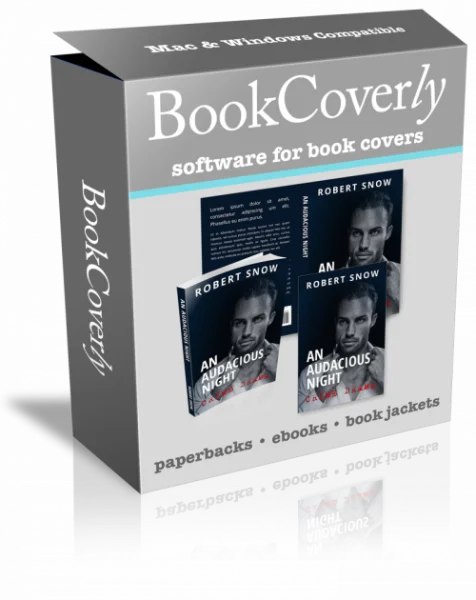
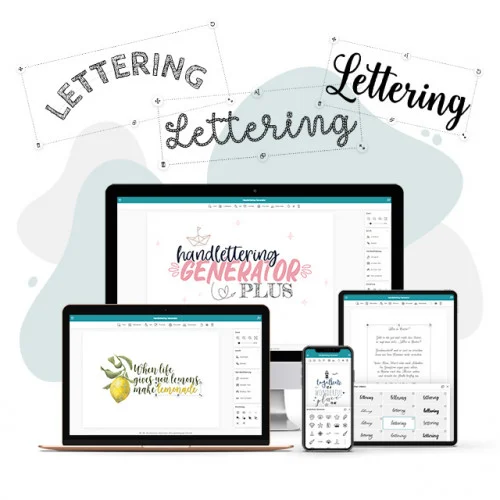
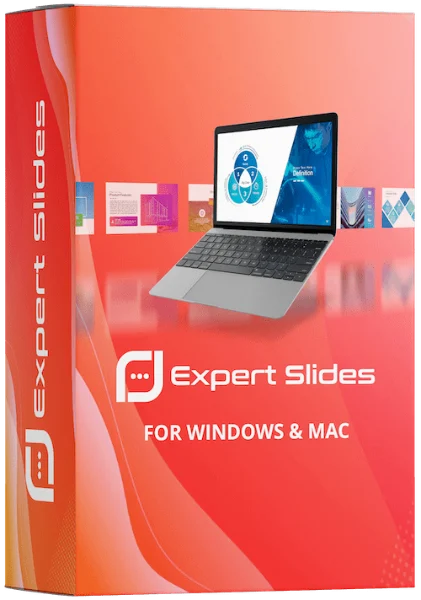
Other tools from our AI Video & Content guide that suit different needs.
How to try it
Try ClickDesigns risk-free in 4 steps
FAQ
ClickDesigns questions answered
What is ClickDesigns?
ClickDesigns is a cloud-based design app with thousands of templates for logos, 3D boxshots, book covers, reports, device mockups, product bundles and sales-page graphics. It is made for people without design skills.
How much does ClickDesigns cost?
The Commercial edition costs $67 as a one-time payment on the Digistore24 checkout, with no monthly or yearly fees according to the seller.
Do I need to install anything?
No. ClickDesigns runs in your web browser — log in at app.clickdesigns.com from any computer.
Who owns the designs I create?
You do. The seller states that you own all content you create, and that all photos and graphics in the library are royalty-free with no attribution required.
Can I sell the designs I make?
Yes. The Commercial edition includes commercial rights, so you can create designs for clients or sell them.
Can I use my own logos and photos?
Yes. You can upload your own logos, photos and images and combine them with the templates.
What file formats can I export?
JPG, PNG, WebP and PDF, at 72, 96 or 300 DPI, in original, medium or small size — with an optional watermark.
Does it have AI features?
Yes. The AI Image Creator turns a text prompt into images, and the AI Content Writer creates headlines, calls to action, taglines and benefit bullets.
What is the refund policy?
ClickDesigns offers a 30-day money-back guarantee. Contact support within your refund period; the seller notes that transaction or refund fees are the buyer’s responsibility.
Is ClickDesigns like Canva?
Both are template-based, but ClickDesigns focuses on marketing graphics such as 3D boxshots, device mockups and product bundles, and is sold as a one-time purchase.
Free PDF
Download the ClickDesigns review & setup guide
Everything on this page in a colourful, printable PDF: our verdict, features, pricing, the full setup guide with Chrome and WordPress steps, and a checklist you can tick off.
- Verdict & pricing
- 7-step setup guide
- Chrome & WordPress setup
- Printable checklist
About this review
Who wrote it

Serkan Fatih Gökdemir
Founder and Editor, SoftwareSelects
Serkan builds websites, WordPress plugins and online calculator tools himself, so he looks at software the way a working user would. He has also worked for 15 years as a medical laboratory technician, with an education in chemistry, and brings the same habit of checking details carefully to every page: what a product actually does, what it costs, what the refund terms are and who it suits.
Sources: the ClickDesigns sales page and support knowledge base, and the Digistore24 product listing and checkout, checked on November 26, 2026.
Questions about ClickDesigns?
Tell our assistant what you are selling and what graphics you need. It will tell you if ClickDesigns fits — and where to start.
Details are based on the seller’s website and the Digistore24 listing as of November 26, 2026 and can change — always confirm the price and refund terms at checkout. SoftwareSelects may earn a commission from purchases made through our assistant’s links, at no extra cost to you. Affiliate disclosure
